
Bestdroidplayer.com is a reader-supported blog. If you buy a VPN or an Amazon product through our links, we may earn a commission that helps maintaining our blog. Our reviews are totally honest and we only recommend trusted VPN and ecommerce brands. Full affiliate disclosure
AI video tools have made it much easier for creators to experiment with characters, product shots, environments, and short visual sequences. For many projects, generating a new clip or image for each scene is enough.
Other situations benefit from something more reusable.
If the same mascot needs to appear across several videos, a product must be shown from different angles, or a streamer wants consistent character visuals for intros and transitions, a 3D asset can provide more control than repeatedly generating new 2D images.
The important question is therefore not whether every creator needs 3D. It is whether the content needs a reusable object that can be rotated, animated, relit, or placed into multiple scenes.
When a 3D Asset Makes More Sense than Another Generated Image
A fresh AI-generated image is often the quickest option for one-off content. A 3D asset becomes more useful when consistency and reuse matter.
Consider using 3D for:
- a recurring stream mascot;
- rotating product shots;
- game props shown from several angles;
- channel intros and transitions;
- reusable objects for multiple short videos;
- characters that need simple animation.
A conventional image or AI video may still be the better choice for a one-time thumbnail, atmospheric background, static social post, or short piece of B-roll.
That distinction can prevent creators from adding unnecessary 3D work to content that does not benefit from it.
Start with a Reference Image Designed for 3D
Image-to-3D generation works better when the source clearly shows the subject.
If you are creating the reference with an AI image generator, design the prompt with the next step in mind. Ask for a single object or full-body character, centered in the frame, against a simple background, with even lighting and nothing important cropped.
For a character, a prompt might specify:
“friendly robot gaming mascot, full body, blue and white shell, holding a controller, three-quarter view, soft even lighting, plain grey background, A-pose”
Keeping the arms away from the torso makes more of the body visible. For objects or products, a three-quarter view can provide more shape information than a completely flat front view.
If several consistent views are available, they can also reveal surfaces that would otherwise need to be inferred from one image.
Turn the Reference into a Reusable 3D Asset
Once the reference is ready, creators can use Meshy AI to generate an initial 3D model from a single image or multiple views of the same subject.
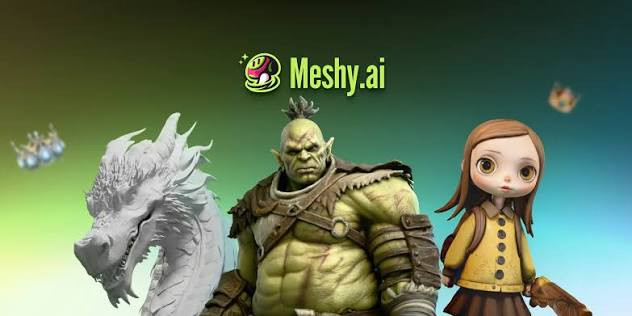
Meshy supports image-to-3D generation and common export formats such as OBJ, FBX, GLB, and STL, allowing the resulting model to continue into broader 3D, animation, game, or rendering workflows.
The Free plan can be used to try generation, while downloading generated models and using multi-image input are currently paid-plan features, so it is worth checking Meshy’s current plan comparison before building a workflow around either.
The first output should still be treated as a working asset. A creator planning to animate or repeatedly reuse the model should inspect it from several angles before investing time in the next stage.
The Meshy app is also available on Android and iOS, and projects sync with the web account, so a creator can start a model from a phone photo and continue working on it from a desktop.
Example: Building a Reusable Stream Mascot
Imagine a gaming channel that wants the same robot mascot from the prompt above to appear in several pieces of content.
The creator first generates several 2D concepts and chooses one design: a blue and white shell, a round visor, headphones, and a game controller.
That approved image becomes the reference for an initial 3D model.
Instead of generating a different robot for every new video, the creator can refine one model and reuse it in:
- a five-second channel intro;
- a “stream starting soon” loop;
- a game-review transition;
- a short social clip;
- a seasonal channel announcement.
The value comes from consistency. Camera position, lighting, pose, and background can change while the underlying character remains recognisable.
This is one of the clearest cases where building a 3D asset can justify the extra production work.
Check the Model before Animation
Before setting up motion, inspect the asset carefully.
Silhouette and Proportions
Rotate the model and confirm that the major shapes still match the original design.
A character that looks convincing from the source-image angle may have unusual proportions from the side or back.
Hidden Geometry
Pay particular attention to surfaces that were difficult to see in the reference.
Hands, hair, clothing layers, straps, controllers, weapons, and other accessories often deserve closer inspection.
Materials
Check whether colours and materials remain consistent around the entire model.
These may need adjustment before the asset is rendered under different lighting conditions.
Scale
If the model will appear alongside other 3D elements, confirm that its scale is appropriate for the scene.
Where Auto-Rigging Can Help
A static model is enough for rotating product shots or simple camera moves, but character content often benefits from basic animation.
Meshy’s auto-rigging can detect humanoid and quadruped body plans and add a skeleton that can be used with preset motions such as idle or walking animations.
For a short character reveal or stream intro, that may be enough to create simple movement quickly.
More demanding work still needs additional review. Custom clothing, complex accessories, unusual anatomy, facial performance, or close-up deformation may require weight adjustments and manual animation work before the character is ready for final content.
Match the 3D Asset to the Content
Stream Intros
Short intros, whether they are played from a streaming tool such as OBS or edited into a video, usually need clear movement and recognisable poses rather than game-ready optimisation.
A simple character animation combined with camera movement, lighting, and typography can be enough.
AI Video Inserts
A reusable 3D object can be rendered from a controlled angle and composited into a larger AI-assisted video workflow.
This can be helpful when the same product, character, or prop needs to remain visually consistent across several shots.
Product and Tech Videos
A 3D model can support rotating views, exploded presentations, or controlled close-ups.
Creators should still avoid presenting an AI-generated model as dimensionally exact unless its geometry has been properly validated.
Gaming Content
Characters, weapons, vehicles, or props can be used in concept videos and visual explanations.
If the asset will move into an actual game engine, it may need topology cleanup, optimisation, collision setup, materials work, and engine testing.
What 3D Still Does Not Solve
Adding a 3D asset does not automatically improve a video.
Creators still need to make decisions about:
- storytelling;
- pacing;
- composition;
- lighting;
- sound;
- editing;
- transitions;
- brand consistency.
Rights also matter. Only use reference images, characters, logos, and designs that you have permission to use, especially when the final content will be published or monetised.
3D adds another creative option. It does not replace the editorial decisions that make the final piece engaging.
FAQ
When Should a Creator Use 3D Instead of AI Video?
Use 3D when the same object or character needs to remain consistent, appear from multiple angles, or be reused across different scenes. For one-off shots, AI video may be faster.
Can an AI-Generated Image Be Turned into a 3D Model?
Yes. A clear AI-generated image can serve as the reference for image-to-3D generation.
Can the Same 3D Character Be Reused across Videos?
Yes. Reusability is one of the main advantages of creating a 3D asset. The same character can be presented with different cameras, lighting, poses, and environments.
Do AI-Generated 3D Characters Need Rigging?
Only if they need articulated animation. Static or rotating presentations can often be created without a character rig.
Can 3D Assets Be Used in Streaming Intros?
Yes. Characters, logos, props, and product-style objects can all be incorporated into rendered intros, transitions, and looping stream visuals.
What Type of Reference Image Works Best for Image-to-3D?
Use a clear subject with a readable silhouette, simple background, even lighting, and minimal occlusion. For characters, a full-body pose with the limbs separated from the torso can reveal more useful shape information.
Final Thoughts
3D assets are most valuable to creators when they solve a consistency or reuse problem.
A recurring mascot, rotating product, game prop, or animated channel character can justify creating a reusable 3D model because the same asset can support multiple pieces of content.
For simpler posts, thumbnails, or one-off clips, 2D images and AI video may remain the faster choice. The strongest creator workflow is the one that chooses 3D only when the extra control genuinely improves the final content.






Leave a Reply