Bestdroidplayer.com is a reader-supported blog. If you buy a VPN or an Amazon product through our links, we may earn a commission that helps maintaining our blog. Our reviews are totally honest and we only recommend trusted VPN and ecommerce brands. Full affiliate disclosure
Do you often stream music with Apple Music app? Even though you have download songs and playlist for offline playback in the official Music app, you can’t transfer and play those downloaded songs to an MP3 player, USB drive, car stereo, or other devices. In addition, once your subscription expires, all downloaded songs become unplayable. Therefore, it’s always a good idea to convert Apple Music to MP3
for flexible offline playback on other devices or players, it’s the best way to keep Apple Music forever and make your favorite tracks available playback without the Apple Music app. To download and convert Apple Music as local MP3 files, you can use an third-party Apple Music converter or online Apple Music to MP3 convert tool.

There are may brands of Apple Music converters desktop software and online Apple Music downloaders. Comparing many desktop and online tools, considering the output audio quality and music downloading efficiency, I prefer desktop tools, because they are secure, stable, and efficient. There many brands of Apple Music converters desktop in the internet, compare with other brands of desktop tool, I’ve found a distinguished one, it named UkeySoft Apple Music Converter, this software really helps me directly download Apple Music tracks, playlist and albums to computer directly, and let’s me convert Apple Music to MP3, WAV and more plain audio formats for offline playback on more devices. Now, I am able to keep my favorite Apple Music playlist forever, even after my subscription ends.
As a music enthusiast and tech blogger, I like sharing useful tools with those who need them. Therefore, I wrote this review article about UkeySoft Apple Music Converter, helping those who need it better understand everything about this software, including functions, features, user guide, price, pros and cons.
UkeySoft Apple Music Converter offers free trial version, If you are interested in this program, you can download the trial version for free to get a sneak peek. Let’s walk through the full review of UkeySoft Apple Music Converter and see whether it is worth every penny.
Overview: What Can UkeySoft Apple Music Converter Do?
Typically, your downloaded music tracks can only be playback with the Apple Music or iTunes app on Apple authorized devices. When your Apple Music subscription expires, all music downloads will disappear from your music library. In order to keeping your Apple Music tracks/playlist permanently and make them available on other devices, the best way is converting Apple Music to MP3 with a third-party Apple Music converter.
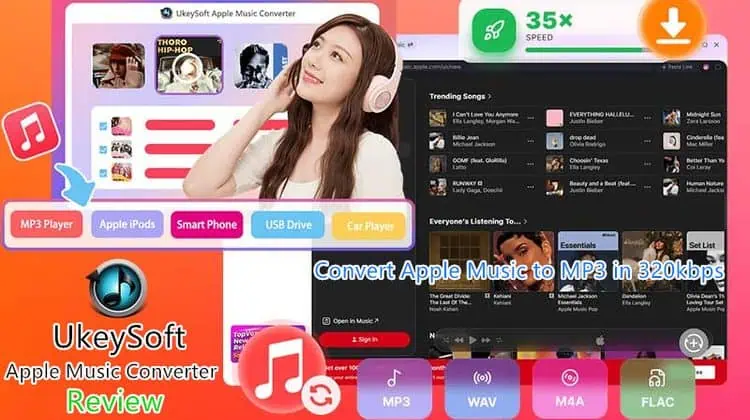
UkeySoft Apple Music Converter is a 100% safe and professional Apple Music to MP3 converter for Windows and Mac, it can helps you download tracks, albums, playlists, and artists from Apple Music on computer, and convert Apple Music to common MP3, M4A, FLAC, AAC, WAV, or AIFF audio formats, so that you can flexibly transfer Apple Music downloads to any media player or mobile device for offline listening, which brings you excellent offline playback experience anytime, anywhere, even if your subscription ends.
Basic Information of UkeySoft Apple Music Converter
Supported Multiple Output Formats
UkeySoft Apple Music Converter offers multiple audio formats, making your Apple Music tracks to be played on various media players and devices. The UkeySoft MusicOne Converter supports multiple output formats, including:
·AUTO (M4A – The same music quality as the source audio, fast conversion speed)
·MP3 (MP3 is the most common audio format, which is compatible with most media players and devices.)
·M4A
·AAC
·WAV
·FLAC
·AIFF
Supported Content
UkeySoft Apple Music Converter enables you to download any music content from Apple Music library, including:
·Individual tracks
·Playlists
·Albums
·Artists
·Podcasts
Supports Languages
UkeySoft Apple Music Converter features a multilingual interface with support for 16+ languages, including: English, Japanese, Korean, Español, Deutsch, Français, Italiano, Simplified Chinese, Traditional Chinese, Čeština, Dansk, Bahasa Indonesia, Türkçe, Malayu, Português, Polski, etc.
UkeySoft Apple Music Converter Features: Benefits It Can Bring
UkeySoft Apple Music Converter combines an integrated Apple Music player with flexible output settings and batch conversion features. Here are the key features worth knowing before you try it.
1# Supported MultipleOutput Formats
To deliver a top-tier listening experience, UkeySoft Apple Music Converter supports to convert tracks into MP3, AAC, WAV, M4A, FLAC, AIFF, and more. While standard Apple Music streams at 256kbps AAC, UkeySoft allows you to export tracks to 320kbps MP3, 640kbps AAC/M4A, or lossless WAV/FLAC to preserve maximum audio fidelity with zero quality loss for seamless offline playback!
2# Batch Conversion & Speed( Up to 36X Faster)
Also, UkeySoft software is equipped with GPU and hardware acceleration to deliver up to 36X lightning-fast conversion speeds while ensuring a smooth and fluent performance. Unlike online Apple Music downloader tools that force you to process songs one by one, UkeySoft supports batch downloading of entire playlists or albums with one click. In my hands-on test, a 3-minute song took just 8 seconds to download, and a full 48-song playlist finished in under 5 minutes.
3# Well-Organized Apple Music Library with ID3 Tags Retained
During conversion, the software automatically detects and preserves ID3 tags and metadata including song title, cover, artist, album, genre, and album artwork. After conversion, it lets you can archive your downloaded Apple Music songs into folders organized by date, artist, or album based on your preferences. You can easily enjoy, organize and manage your offline library in one place!
4# Built-in Web Player & Music Player to Replace the Apple Music App
UkeySoft Apple Music Converter embeds a built-in Apple Music web player, so you can search for songs, albums, and playlists directly within the software. Simply log into your Apple Music account, browse your library, and add songs to the conversion queue – no need to switch to the iTunes or Apple Music app! After conversion, its built-in music player also lets you preview and play your local Apple Music songs in the same program.
How to Convert Apple Music to MP3 with UkeySoft Apple Music Converter
Step 1. Download and Install UkeySoft MusicOne Converter
Download and install UkeySoft All-in-One Music Converter from the official website to your Windows or Mac computer, then launch it and select the “Apple Music” service from the home screen.

Step 2. Log In to Your Apple Music Account
Sign in to your Apple Music free trial or monthly subscription account within the built-in web player. Don’t worry, this is 100% safe – the login simply allows UkeySoft to load your Apple Music library so you can access songs, playlists, and albums.

Step 3. Configure the Output Settings
Open the Menu at the upper right corner and select “Preferences” to configure output settings. Here you can set the output format to MP3, adjust the output quality to 320kbps, customize other settings based on your preferences.

Step 4. Browse and Add Songs, Albums, or Playlists
Browse your library or search for specific content in the Search box.

Open the song, album, artist, or playlist you want to convert, then click the green “+” icon to add it to the conversion list.

Step 5. Select the Songs You Want
After loading the content, review the available tracks and select the songs you want to convert. You can choose individual tracks or select multiple songs from a playlist or album for batch conversion.

Step 6. Start Converting Apple Music to MP3
Click “Convert” button to begin the batch conversion. UkeySoft will process all selected tracks simultaneously and save them in MP3 format to the destination folder.

Step 7. Access the Output Apple Music Songs
When the conversion finishes, go to the “History” section and open the output folder to access your converted Apple Music tracks. All Apple Music music files will retain their original ID3 metadata.

You can also play your downloaded Apple Music songs with UkeySoft’s built-in music player or open them using any media player.

Hardware and System Requirements
UkeySoft Apple Music Converter is compatible with both Windows OS and macOS operating systems. See the following installation requirements:
Operating Systems: Windows 11, 10, 8.1, 8, 7 (32-bit and 64-bit); macOS 10.9 or later (including Intel-based Macs and Apple Silicon Macs running macOS 11.0 or later)
Processor: 1G Hz processor or above
Monitor: 1024 X 768 pixels or higher resolution
RAM: 512 MB or higher of RAM
Different Price Plans Cater to Your Needs
UkeySoft Apple Music Converter is a music conversion tool within the UkeySoft All-In-One Music Converter suite. It offers a 30-day free trail for new users. The free trial allows users to convert the first 3 minutes of each track, and you need a paid subscription to access full features. After testing, I can only say that UkeySoft’s Online Store offers very reasonable pricing plans than other brands.

| UkeySoft Apple Music Converter | UkeySoft All-In-One Music Converter | |
| 1-Month Subscription | US$14.95 | US$55.95 |
| 1-Year Subscription | US$59.95 | US$129.95 |
| Single Lifetime Plan | US$89.95 | US$159.95 |
| Devices | 1 Win/Mac | 1 Win/Mac |
| Features | Download and convert music from Apple Music | Download and convert music from Apple Music, Spotify, Amazon Music, Pandora Music, YouTube Music, TIDAL, Deezer, SoundCloud |
| Benefits | Unlock full features; Free software updates Technical support; 5-day or 30-day money-back guarantee | |
Pros and Cons of UkeySoft Apple Music Converter
Pros:
Clean, intuitive user interface.
Built-in Apple Music web player, does not require the native Apple Music or iTunes app to run.
Downloads and converts Apple Music to multiple audio formats.
Convert Apple Music tracks to MP3 at up to 320kbps, it also offers other customizable audio parameters.
Conversion speeds up to 36X enable quick batch processing of large playlists or albums.
Preserves ID3 tags and metadata, with automatic folder organization.
Generally positive customer support ratings on platforms like Trustpilot (averaging 4.8/5)
24/7 email support and 5-dau or 30-day money-back guarantee.
Cons:
Free trial limited to 3 minutes per track, which is barely enough to evaluate full functionality.
Requires an active Apple Music subscription and sign-in to access and download library content.
Requires an extra software installation on Windows or Mac computer, and no Linux or mobile version.
FAQ about UkeySoft Apple Music Converter?
Is it Legit to Use Ukeysoft Apple Music Converter?
Yes, UkeySoft Apple Music Converter is a real, functioning desktop software program rather than a direct scam, it can strips DRM from streaming music, all converted tracks is strictly intended for personal, offline use. So, it is legit to UkeySoft Music Converter to convert music from streaming music service for personal use or offline playback.
Is Ukeysoft Apple Music Converter Safe?
UkeySoft Apple Music Converter is 100% safe to download and use from its Official UkeySoft website ( https://www.ukeysoft.com/ ), UkeySoft’s products maintains positive reviews on platforms like Trustpilot Reviews
and community discussions on G2 Discussions
, with users noting it runs stably on Windows and macOS, the program works stable and efficient on computer.
Is it Safe to Login My Apple ID in the Built-in Web Player of UkeySoft?
Yes, it is 100% safe. The app uses a built-in Apple Music web player where you sign in with your Apple ID to access your library; the built-in web player in UkeySoft Apple Music Converter is essentially an embedded browser window that loads the official, secure Apple Music web portal, the UkeySoft company cannot read and save your personal information.
Conclusion
Overall, UkeySoft Apple Music Converter is a one-stop tool for downloading and converting Apple Music tracks in common MP3 or other formats, so that bring you full freedom to enjoy your music library anywhere, anytime. With its high-quality output, stable performance, and user-friendly interface, it deserves a solid 4.8/5 score. You can download the free trial to test it out yourself!






Leave a Reply