We must admit that in the modern online era, there is an increasing number of online fraud rates are happening around us. People continuously lost their money as a victim of Phishing. Vishing, another variation of Phishing. In this article, we are going to discuss how to prevent vishing by using a VPN.
Bestdroidplayer.com is a reader-supported blog. If you buy a VPN or an Amazon product through our links, we may earn a commission that helps maintaining our blog. Our reviews are totally honest and we only recommend trusted VPN and ecommerce brands. Full affiliate disclosure
As much as we love the advancement in technology, we must acknowledge that it has also come at a price. The last decade has seen an ever-increasing rate of online fraud, and as long as people have money to spend, someone will always try to rip it off them. A particular form of crime that has seen people and organizations lose billions of dollars is phishing. However, since cybercrime methods change by the day, there’s now a variation of phishing, a term you might have come across: Vishing.
Phishing vs Vishing
Phishing is a type of crime that majorly uses emails to try and obtain sensitive information from unsuspecting users. The target information is normally intended to be used to strip the user or organization of cash, and it usually involves usernames, passwords, credit card details etc.
In a phishing attack, an email is sent to the target user. This email spoofs or mimics a bank, credit card company, or a reputable business such as Amazon or eBay. The email normally looks real, even mimicking the logo and colour scheme of the company. It however normally has some kind of urgency that requires you to log in to your account. Once you log in on the fake website, your details are then obtained and you can end up losing lots of money.
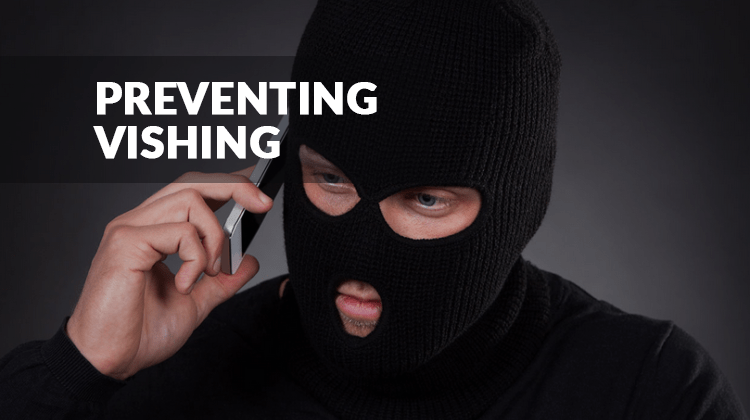
Vishing, on the other hand, is a form of phishing which is conducted through the telephone. Actually, the term ‘vishing’ is coined from a combination of ‘voice’ and ‘phishing’. Voice scams normally rely on manipulation and social engineering, to get the target user give up delicate information.
How Vishing Works
Most vishing criminals prefer to mimic an official source, like a bank or a government agency. Depending on whether they are outside your country or from your country, they will use different techniques. Vishing criminals outside the country use voice-to-text synthesisers and recorded messages in a bid to mask their identities. Those that are from within the country try to be as targeted as possible, and therefore use a human on the other end of the line.
Regardless of how they are conducted, the goal is normally one: try to convince you to give out personal information that can be used to obtain money from you.
To make you take your normal security coat off, vishing scammers now use caller ID spoofing. This is a kind of technology that makes the call appear as if it’s from a reputable company that you trust. It can also be used to make the call appear localised, which would make you more compelled to pick the call.
Unfortunately, when such an attack is directed to an entity like your bank, there’s no much you can do apart from reliance on their security protocols. Fortunately, you can take complete control to avoid falling victim to such. So let’s discuss how to prevent vishing and secure yourself.
How To Prevent Vishing
If you are not familiar with vishing, you might think that this is a scam that you can easily figure out and find a way of how to prevent vishing. However, you’d like to take my word when I say that’s not the case. These calls are normally structured in such a way that they appear completely legitimate. It’s therefore not about identifying which calls are spams, but rather taking protective measures to avoid falling victim.
Here are the best two:
- Never give out personal Information over a call: This is a basic protective measure that can prove out super valuable. You should always remember this no matter how much you trust the source of the call. The only instance you can do this is if you are the one who has made the call, and you have verified the number you are calling.
- Use a VPN: Scammers are smart enough to track your location either by the change of your IP address or through GPS. This way, they can know when you visit a new place. The best way to beat this is to use a VPN as it masks your real IP address, and makes your real location untraceable.
Using a VPN to beat Vishing
If you are not familiar with how it works, a VPN encrypts your traffic and then sends it over a secure tunnel to a VPN server. This server then gives you a new IP address which hides your real one. A secure VPN can therefore effectively protect you from location-based vishing.
However, VPNs are not made equal, and selecting the wrong VPN can be a daunting experience. Below is a summary of the top 3 VPNs that you can use to protect you and your family from vishing.
1. ExpressVPN
 This is arguably the best VPN in the market today. The VPN is known for its world-class customer support, with a live chat system that gets you talking to an agent with seconds. ExpressVPN also boasts a strong privacy policy that promises zero logs on all your activities. This means that whatever you do using the VPN can’t be traced back to you, and you will always remain anonymous.
ExpressVPN features a huge server network with 1700+ servers in 87 countries. These servers are distributed across 136 cities in 5 continents. This is quite a strong point for the VPN, and it ensures that you can connect to almost all corners of the world.
The VPN also implements strong security with 256-bit encryption, which can’t be broken by hackers. It’s also highly compatible, and offers up to 5 simultaneous connections which are enough to secure your family. You can take advantage of their 30-day money back guarantee to try out the service.
49% OFF ExpressVPN2. NordVPN
 NordVPN is another top VPN service, widely known for its military-grade security. The VPN also uses 256-bit encryption and tops it up with a double-hop feature that literally doubles your security. It also has other security features that include DNS leak protection, and a Kill Switch that immediately disengages you from the internet once your VPN connection drops.
NordVPN is based in Panama, a country known for its friendly data retention laws. This means that the VPN is not in any way forced to keep logs that can be used against you.
NordVPN has an incredible 2380 servers that are located in 56 countries across the world. This is quite a laudable network size, and not many VPNs can beat it. Best of all, NordVPN has a free 3-day trial that doesn’t even require your credit card. They also top that up with a 30-day money back guarantee.
Up to 77% OFF NordVPN3. IPVanish
 Renowned for its ability to circumvent censorships and unblock geo-restricted content, IPVanish is among the best VPNs you can use to avoid location-based vishing. The VPN has vast server network with 750+ servers distributed across 60+ countries. Whenever you connect, you are given a random IP from its pool of 40,000+ IP addresses.
What most people like about this VPN is its speeds. IPVanish is quite fast, and although based in the US, it somehow manages to keep zero logs. Its bandwidth is unlimited, as are server connections. You can use their 7-day money back guarantee to try out the service.
81% OFF IPVanish]Conclusion
With the increase of vishing scams, it calls upon every person to think about their security seriously. The major mistake you can do is assume that you are safe, while you haven’t put any security measures in place. For the vishing calls that you can’t prevent, just remember to be careful with your personal details. Otherwise, you need to use a VPN to secure yourself and your family. Not only does a VPN protect you from location-based vishing. But it also secures you from attacks by malware and hackers, especially when using public hotspots. Our top 3 VPN list above should be a sure bet to keep you safe from all these. Don’t be the ‘vish’, don’t fall for the bait.





Leave a Reply