• Skip to main navigation
  • Skip to main content
  • Skip to primary sidebar
  • Skip to footer
bestdroidplayer
  • Free Guides
  • Free Tools
    • Streaming Bitrate Calculator
  • Kodi
    • Kodi Guide
    • Best Kodi Addons
    • Best Sports Kodi Addons
      • Best Football (Soccer) Kodi Addons
      • Best NFL Kodi Addons
      • Best Cricket Kodi Addons
      • Best UFC / MMA Kodi Addons
      • Best WWE Kodi Addons
    • Best Movie Kodi Addons
    • Best Live TV Addons
    • Addons List
      • Live Sports Addons
        • Install TvTap Addon
        • Install Sportowa TV Addon
        • Install Rising Tides Addon
        • Install SportHD Addon
        • Install Fight Club Addon
      • Movies & TV Shows
        • Install Exodus Redux Addon
        • Install Magic Dragon Addon
        • Install Covenant Addon
        • Install Tempest Addon
        • Install TAZ Addon
        • Install Seren Addon
        • Install The Promise Addon
        • Install EnterTain Me Addon
        • Install The Crew Addon
        • Install Nightwing Addon
        • Install Black Lightning Addon
        • Install Shadow Addon
        • Install Asgard Addon
      • Live TV Addons
        • Install TvTap/TapTv Addon
        • Install LiveNet TV Addon
        • Install The Crew Addon
        • Install USGoTv Addon
        • Install Asgard Addon
        • Install RBTv Addon
        • Install Centry Sports Addon
    • Fix Kodi Errors
    • More Kodi Articles
  • Stremio
    • Stremio Beginner Guide
    • How to Install Stremio on FireStick
    • How to Install Stremio on Android TV Box
    • How to Install Stremio Addons
    • Best Stremio Addons
  • Plex
    • Plex Channels (Overall)
    • Plex Channels for Movies
    • Plex Channels for Sports
    • Plex Channels for Kids
  • Fire TV Stick
    • How to Set Up Amazon Fire Stick
    • How to Jailbreak Amazon Firestick
    • Best Apps for Jailbroken Firestick
    • How to Get Local Channels on Firestick
    • Best IPTV Players for Firestick
    • Install Kodi on Fire TV Stick
    • Update Kodi on Fire TV Stick
    • Install a VPN on Fire TV Stick
    • Best Free VPN for Firestick & Fire TV
    • More Firestick Articles
  • VPN
    • Best VPN for Kodi
    • Free VPN for Android TV Box
    • Free VPN for Firestick & Fire TV
    • What you can do with a VPN
  • EN
  • PT
  • FR
  • EN
  • PT
  • FR
  1. Home
  2. Firestick / Fire TV Tips, Guides and Tutorials
  3. Essential Steps to Update Your Amazon Firestick for Optimal Performance

Essential Steps to Update Your Amazon Firestick for Optimal Performance

B

Last updated 16 October 2025 by bestdroidplayer

Bestdroidplayer.com is a reader-supported blog. If you buy a VPN or an Amazon product through our links, we may earn a commission that helps maintaining our blog. Our reviews are totally honest and we only recommend trusted VPN and ecommerce brands. Full affiliate disclosure

Contents hide
1. Why Updating Your Firestick Is Crucial
2. The Simple Steps to Update Your Device
3. Pro Tips for a Smooth Update Experience
4. What Happens After the Update?
5. Common Issues and How to Troubleshoot

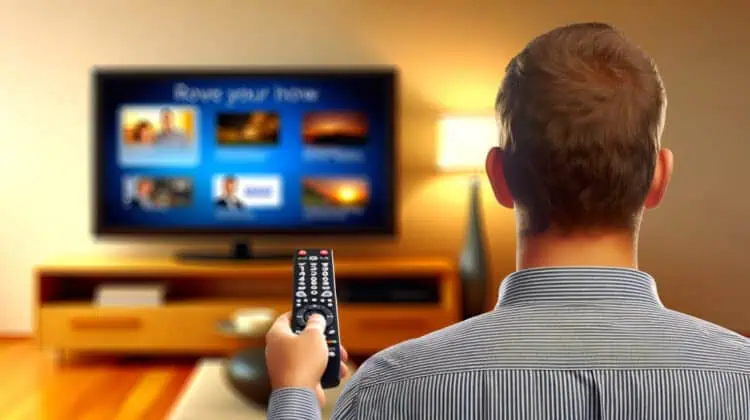
Is your Amazon Firestick lagging or showing an outdated interface? It might be time for an essential update. Regular updates not only improve performance but also enhance security and keep your streaming experience smooth.

Why Updating Your Firestick Is Crucial

Keeping your Amazon Firestick updated is more than just a good practice; it’s a necessity. Regular updates are vital to optimize performance and safeguard against security vulnerabilities. Amazon promises at least four years of security updates for their devices, but manual updates ensure you’re always at the forefront of new features and enhancements. Failing to update can expose your device to outdated firmware issues, potentially leading to connectivity problems and reduced functionality.

The Simple Steps to Update Your Device

Updating your Amazon Firestick is straightforward. Start at the home screen and select the Settings gear icon. From there, navigate to My Fire TV, and click on About. Here, you will see the option to Check for Updates. If an update is available, simply select Install Updates to begin. This process ensures your device is running the latest Fire TV firmware, improving overall device responsiveness.

  • Navigate to Settings from the home screen.
  • Click on My Fire TV.
  • Select About, then Check for Updates.
  • If available, Install Updates.

Pro Tips for a Smooth Update Experience

To ensure a hassle-free update, maintain a stable Wi-Fi connection throughout the process. It’s also wise to check your internet speed beforehand; a slow connection might cause interruptions. Avoid unplugging the device during the update to prevent any disruptions. For added security and privacy during updates, consider using a reliable VPN such as NordVPN or Surfshark.

What Happens After the Update?

Post-update, you can expect a noticeable boost in your device’s speed and reliability. According to user feedback, firmware updates have led to a 30% improvement in device speed. Moreover, updates often come with improved software functionalities and additional streaming services accessibility, ensuring your device is always running optimally.

“Regular updates are essential to maintain your device’s performance and security.”

Sign up to our newsletter to receive guides and cord-cutting tips for free.
HelloTech

Common Issues and How to Troubleshoot

Encountering issues during an update? You’re not alone. Some users report a black screen appearing if the update process is disrupted, usually due to a hampered internet connection. In such cases, simply restart your Firestick and try the update process again. If the issue persists, ensure your router is working correctly and consider using a wired connection for a more stable update. Sometimes, clearing the app cache can resolve lingering issues; this is easily done through the Settings under Applications.

⚠️ Important: Avoid disconnecting the power during updates to prevent serious firmware issues.

Keeping your Amazon Firestick updated is a simple yet effective way to ensure you’re getting the very best out of your streaming device. With these steps and tips, you can easily enhance your viewing experience and ensure your privacy and security are never compromised.
👋 Signup to our newsletter to receive guides and cord-cutting-tips tips for FREE!! Click Here!


Marketing permission: I give my consent to BestDroidPlayer to be in touch with me via email using the information I have provided in this form for the purpose of news, updates and marketing.

Legal disclaimer

BestDroidPlayer.com is in no way affiliated to any streaming application, apk or its addons. Also, we are not associated with the brands here shown as the references are only informative. Bestdroidplayer.com does not verify the legality or security of any apps, apks, addons or services mentioned on this site. We DO NOT HOST any copyright-protected software or streams and we DO NOT broadcast or provide any copyright-protected streams on this website - The content here provided is only informational and it should be used only to access content that is not protected by copyright. We strongly advise our readers to avoid piracy at all costs, if you decide to do so, it is your responsibility - We are not responsible for any of your activities.

If you wish to make a claim, please check our DMCA Notice Policy.

Affiliate disclosure: Bestdroidplayer.com is a reader-supported blog. If you buy a VPN or an Amazon product through our links, we may earn a commission that helps maintaining our blog. Our reviews are totally honest and we only recommend trusted VPN and ecommerce brands.

Filed Under: Firestick / Fire TV Tips, Guides and Tutorials

Related guides

  • Your Free Essential Guides

    26 October 2019

  • Streaming devices

    How to speed up your slow Android TV Box to get the best performance

    26 May 2020

  • Firestick / Fire TV Tips, Guides and Tutorials

    How to Uninstall Kodi Build on Firestick to improve Kodi performance

    15 October 2020

  • Firestick / Fire TV Tips, Guides and Tutorials

    How to clear the Cache on Firestick or Fire TV – Improve performance

    14 December 2018

  • From the Community

    5 Ways Sportsbook Software Improves Betting Platform Performance

    23 July 2026

  • Streaming Apps

    How to Fix Hulu not working on Firestick in Simple Steps

    14 February 2022

Reader Interactions

Leave a Reply

Your email address will not be published. Required fields are marked *

This site uses Akismet to reduce spam. Learn how your comment data is processed.

Primary Sidebar

Search

Follow us

  • Facebook
  • Pinterest
  • Twitter

Featured Posts

Kodi Setup Guide

Most Complete Kodi Setup Guide: All you need to know to use Kodi

Latest Articles

BestDroidplayer article image about VPN issues on Firestick with TV screen and remote.

VPN Not Working on Firestick? 8 Easy Ways to Fix It

4th November 2026 By bestdroidplayer

BestDroidplayer Free99 movie app interface screenshot.

How to Install Free99 Kodi Addon (2026 Guide)

3rd November 2026 By bestdroidplayer

AI video editing scene with 3D character on monitor for streaming.

How 3D Assets Can Improve AI Video and Streaming Content

3rd November 2026 By bestdroidplayer

Person holding smartphone with eSIM app in front of Rome skyline.

What to Compare Before Buying an eSIM Data Plan in Europe

23rd October 2026 By bestdroidplayer

bestdroidplayer

Tested guides for Kodi, Fire TV, Android TV and streaming apps, in English, Portuguese and French since 2014.

We host no files and are not affiliated with any app or addon we cover. Only stream content you have the rights to.

Menu

  • Homepage
  • About Us
  • All Posts
  • Bestdroidplayer FAQ
  • DMCA Notice Policy
  • Affiliate Disclosure
  • Disclaimer
  • Privacy Policy
  • Cookie Policy
  • Advertise with us – Banner Ads
  • Get in Touch
  • HTML Sitemap

About Us

Bestdroidplayer it’s a blog with News, Tips, and Tutorials about the streaming industry.
In this blog, you will find useful tips to cut the cord and save some bucks while you get the best streaming experience.

Read more about us here.

Legal Disclaimer

BestDroidPlayer.com is in no way affiliated to any streaming application, apk or its addons. Also,  we are not associated with the brands here shown as the references are only informative. Bestdroidplayer.com does not verify the legality or security of any apps, apks, addons or services mentioned on this site. We DO NOT HOST any copyright-protected software or streams and we DO NOT broadcast or provide any copyright-protected streams on this website – The content here provided is only informational. We strongly advise our readers to avoid piracy at all costs, if you decide to do so, it is your responsability – We are not responsible for any of your activities.

Copyright © 2026 Bestdroidplayer

EnglishPortuguêsFrançais

We value your privacy

We use cookies for statistics (Google Analytics) to see which guides help our readers. You can accept or refuse: the site works the same either way. Cookie policy