In this tutorial, we are going to share how you can watch UK Freeview TV channels on Kodi from abroad. With this process, you will able to watch UK TV on Kodi Abroad or in UK; live TV on your browser, mobile and on Kodi.
Bestdroidplayer.com is a reader-supported blog. If you buy a VPN or an Amazon product through our links, we may earn a commission that helps maintaining our blog. Our reviews are totally honest and we only recommend trusted VPN and ecommerce brands. Full affiliate disclosure
Do you want to know how to watch UK Freeview TV channels on Kodi abroad? There is good news for Kodi and also non-Kodi users! There is now an awesome free service to watch live UK TV! You won’t need a TV provider anymore to watch UK TV and I will teach you how to use this service outside the UK. To know more on how to watch UK TV, just keep reading!
What you need to watch UK TV abroad
No matter if you want to watch UK TV on Kodi abroad or in UK, in the Browser, or using a Mobile App; the following is the most important step and the front door to many contents out there on-line you’ll wont loose anymore:
- Subscribe a VPN (I recommend IPVanish) to mask your IP to an UK IP address.

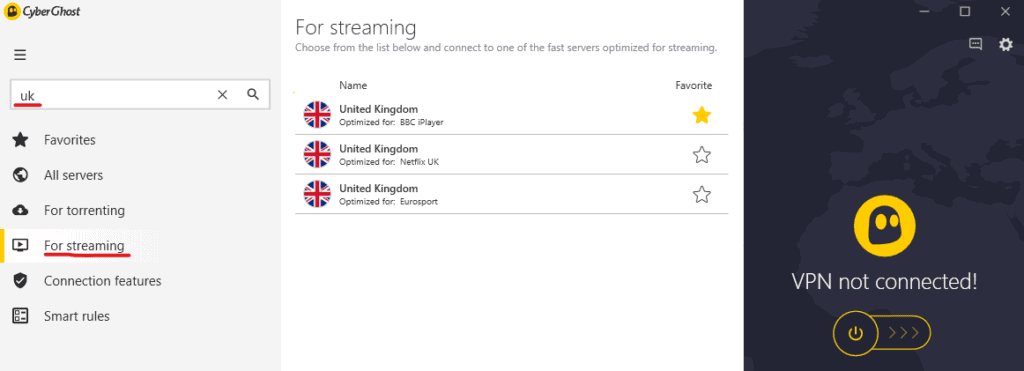
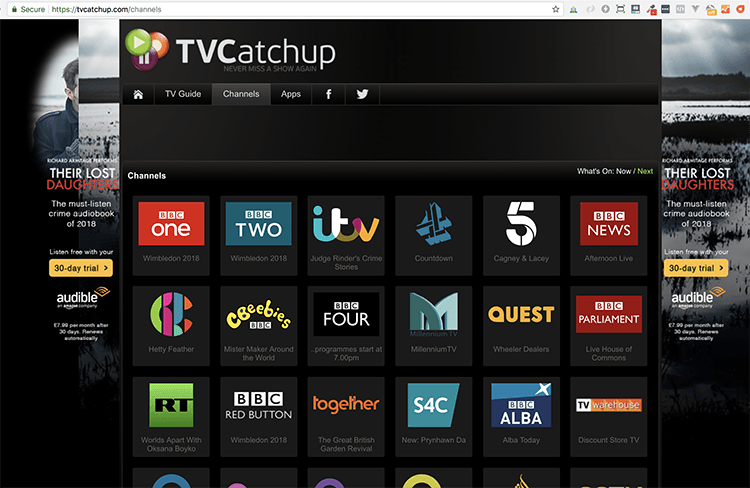
Select a UK server for streaming - Watch UK TV on your browser at https://tvcatchup.com / TVcatchup Mobile App or using the TVcatchup Kodi addon.

TVCatchup.com website
Is it legal?
TVCatchup it’s a legal and free TV service used in UK to watch UK Channels live and on demand. As it’s a service for UK residents, their website and Kodi addon just allows traffic with an UK IP address.
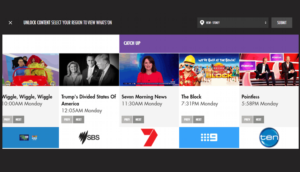
If you live outside the UK and try to watch UK Channels via TVCatchup without a VPN, you will get the following notice and be redirected to another site where you have to pay.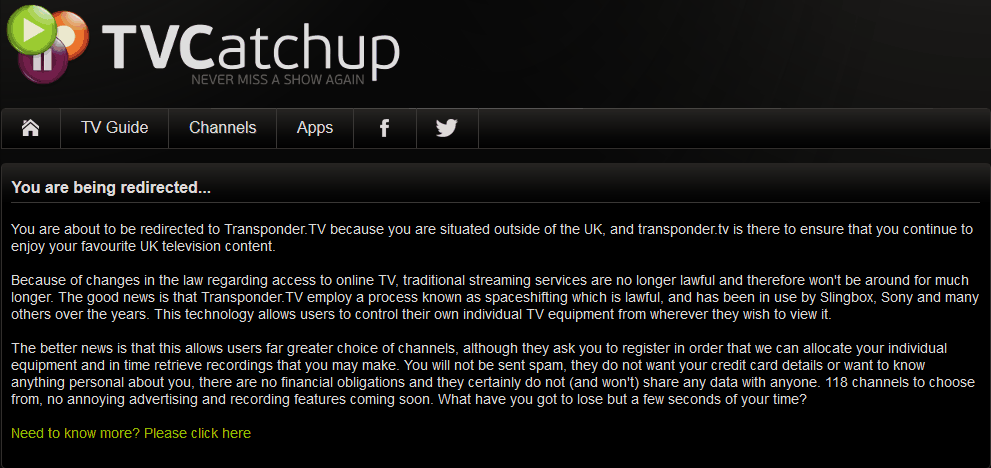
However, nowadays it’s very easy to mask your IP and choose the location of the IP. You just need to subscribe a VPN like IPVanish, install their app in your favourite devices (Android, iOS, Windows, MacOS), open the app, choose the country to connect and click in the button to connect, that’s it! Then you can use TVCatchup as a normal UK resident!
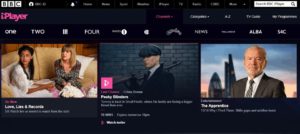
With a VPN, you get to watch the channels for free. Here is the BBC weather report.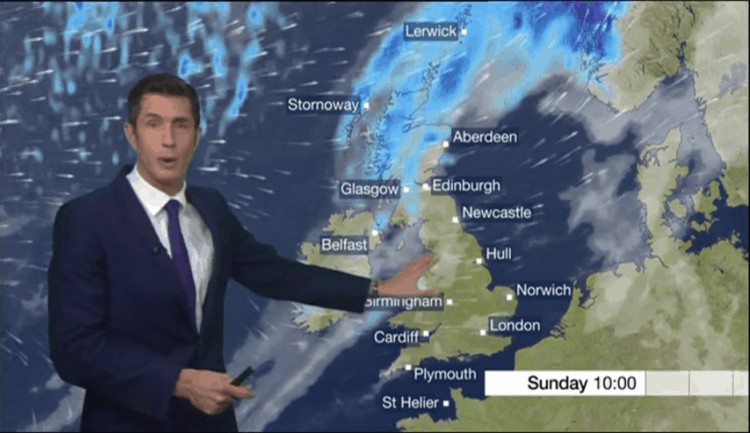 I also tried another channel on TVCatchup, ITV, and I was able to watch the horse race live.

The VPN we recommend is IPVanish; it is one of the fastest VPNs on the market, which means it won’t slow down your internet connection. They also have multiple servers in UK so it won’t let you down while watching UK TV online. They also give you a 7 Day money back guarantee, so why not give it a try?
We’ve arranged an exclusive 81% discount for our visitors; just subscribe IPVanish here and start watching any TV Channel wherever you are.
Visit IPVanish Site >TVCatchup Kodi Addon – The Best Kodi addon to watch live UK Channels
The other way to watch live Uk Channels is through the TVCatchup Kodi addon; it allows you to easily stream over 30 UK channels for free. This is a good option for the ones using using Android TV Boxes, as it makes your TV experience much better.
How to Install TVCatchup Kodi Addon
This install guide is for Kodi > 17 Krypton
- Turn your VPN On
- Open Kodi.
- Go to Settings (gear icon .) > File Manager > Add source.
- Click in Add file source.
- Click in the field that says <None>.
- Enter exactly http://fusion.tvaddons.co and press the Done button.
- In the name field enter the name Fusion and then click OK.
- Return to the home screen and click Add-ons.
- In the upper left corner you will find a box icon You should then see an open box icon in the upper left corner . Click on it.
- Select Install from zip file > Fusion > Begin here> plugin.program.indigo-x.x.x.zip.
Indigo program addon will install. This is the program that we shall use to install TVCatchup Kodi addon.
- Now, go back to the Kodi home screen and select Addons.
- You should now see Indigo addon. Click on it.
- On the menu that opens, click on Addon installer and then Featured Addons.
- Scroll down till you find TVCatchup.com and then click on it.
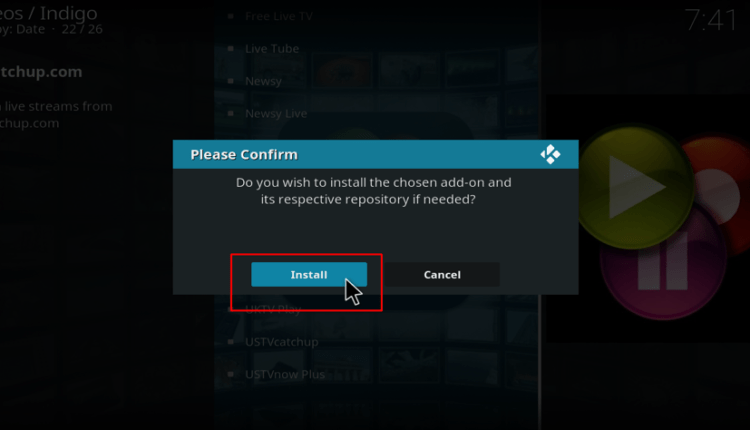
- You will get a prompt. Click Install
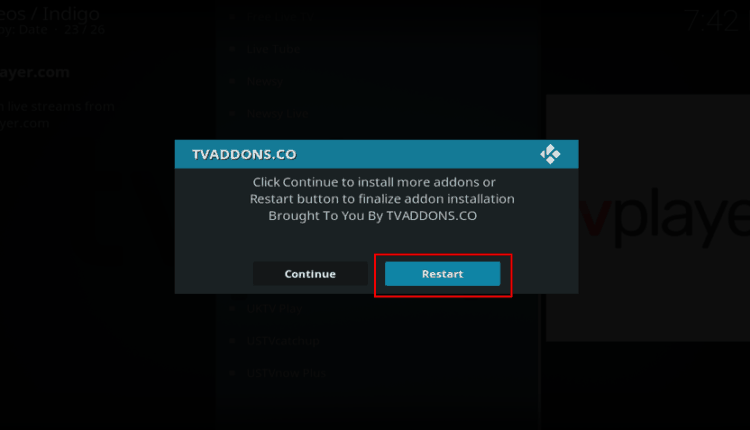
- After the download, you will now be asked if you want to restart Kodi. If you do not wish to add any other addon at that time, click Restart.
- Launch Kodi once more.
- To access the TVCatchup addon go to Home screen > Add-ons > TVCatchup.
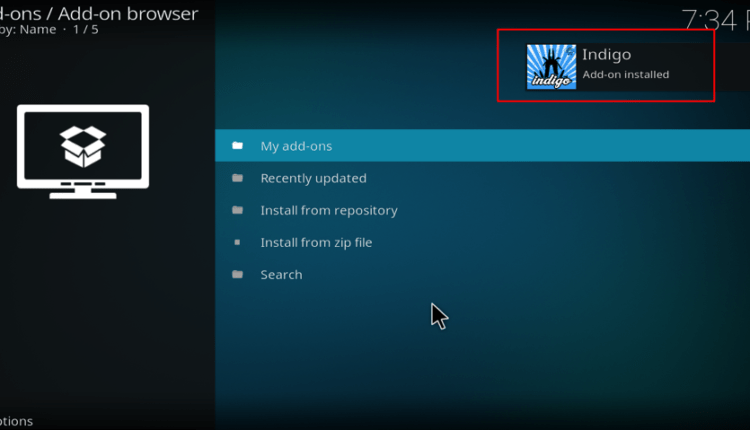
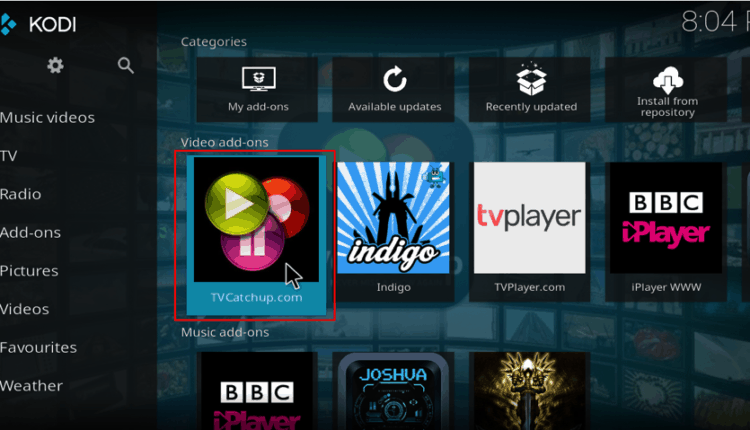
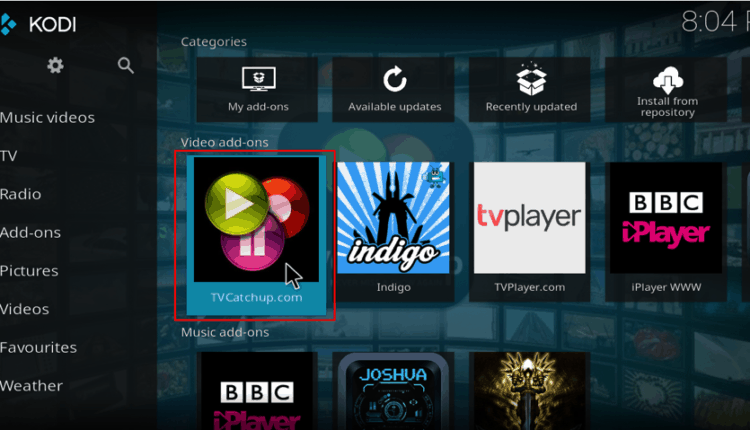
You can now access the plethora of UK TV channels that the add-on offers.
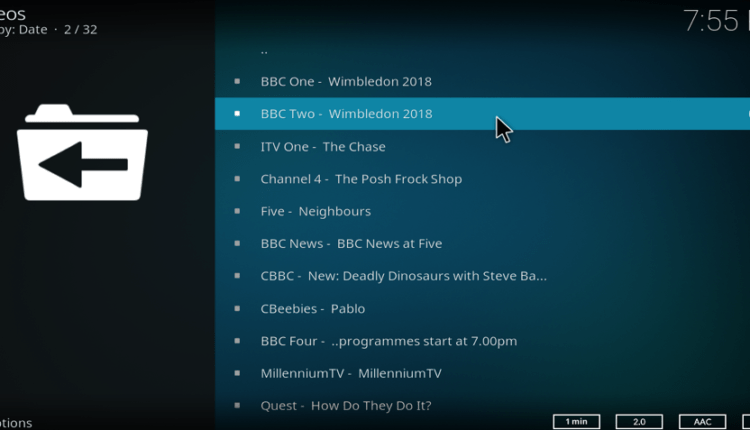
As I said before, this service is geo-locked to UK users, so if you are abroad you will need a VPN like IPVanish to mask your IP address to an UK IP Address.
We’ve arranged an exclusive 81% discount for our visitors, just subscribe IPVanish using this link and start watching any TV Channel wherever you are.
If you get the Error: Could not connect to repository
If you get this Kodi error, then it means that Kodi couldn’t access the repo URL because it’s being blocked by your internet service provider. The only way to go around this is become anonymous to your ISP. Again, a VPN like IPVanish will solve it for you.
UK TV Channels available on TVCatchup
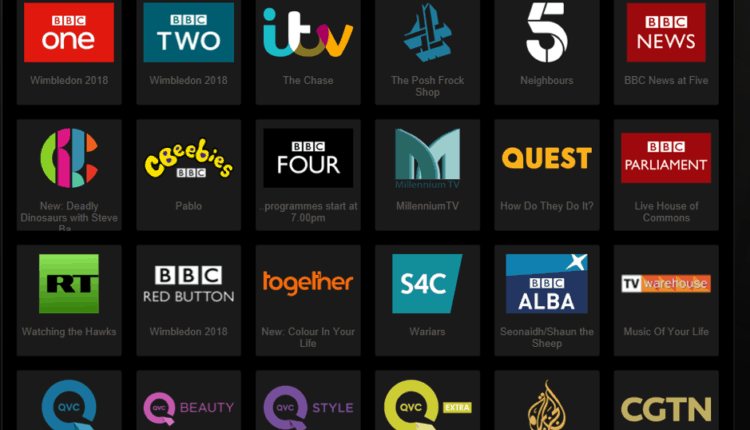
- BBC ONE
- BBC TWO
- ITV
- Channel 4
- Channel 5
- BBC NEWS
- CBBC
- CBEEBIES
- BBC FOUR
- Quest
- VIVA
- BBC Parliament
- RT English
- BBC Red Button
- Community
- S4/C
- BBC Alba
- QVC Beauty
- TV Warehouse
- QVC
- QVC Style
- AL Jazeera English
- QVC Extra
- CCTV NEWS
- Ideal World
- Ideal Extra
- Create & Craft
- Craft Extra
- Millennium TV
- Sail TV
Conclusion
Is this article you’ve learned How to watch UK TV on Kodi abroad or in UK, using TVCatchup add-on, on your browser, or using a mobile app. In any case, you’ll need a Good VPN service. A Good VPN service doesn’t store your navigation data, has many servers over the world circumventing any geographic blocking, at a high navigation speed. There are only few VPNs capable of it; see here the list of those VPNs!



Does this for sure work with Horror Channel? I tried on their website but it doesn’t have Horror Channel on it… Is Horror Channel included in the Kodi add-on?
Great goods from you, man. I have understand your stuff prior to and you’re just extremely
wonderful. I actually like what you have acquired
right here, certainly like what you’re stating and the way
through which you assert it. You make it enjoyable and you still care for
to stay it sensible. I can’t wait to learn far more from you.
This is really a tremendous web site.
Hi Michelle. I recommend you to read this article https://bestdroidplayer.com/xbmc-android-tv-box-droidplayer/how-to-watch-uk-freeview-tv-channels-kodi-uk-abroad/
Hi Ros. This is a free Kodi repo
Hi, your VPN should be connected to UK.
I got the message: Could not connect to repository, even being connected through a VPN. I was wondering if there is a particular country I should be connected to in order to install it?
How much does noobs and noodles cost please and were there any good free ones
Been searching for a while and you certainly seem to know what you’re talking about. Please help if you can. There’s a couple of programmes I can’t watch in real time. Is there ANY way to get the All4 as an apk in America?
Hi Eddy. That URL may being blocked by your internet provider, that’s why I recommend the usage of a VPN. Have a look on the topic 1.
Hi. I get as far as noobsandnerds repository but then i get a message ,could not connect to repository
Well, thats odd. I can find it. Here’s the link to the app on google play https://play.google.com/store/apps/details?id=com.tvplayer&hl=en
Everything works except I cannot find TV player listed! I am in UK on BT infinity. Seem to be getting various update errors. Any ideas? (BTW Smart setup etc is disabled on hub5)
Thanks. I’m glad you’re enjoying it :)
Thanks. The VPN works for me, even iPlayer and itv player works with the VPN pointing to UK :)
Hi Mike. There is another very good android app that allows you to catch up -> UKTV Play
I live in Cyprus, and currently use Streamvia (Smartstream) which works very well, however am a bit worried having read their ‘ethical’ policy on things like downloading.
However, i can access all the UK channels (iplayers) AND get catchup from them as well.
Does Kodi provide the catch-up facility – ie not just currently showing progs?
thanks Mike
Thanks Nabil.
Thanks you ! works Great .
Just hope the server don’t go down like fusion ! please keep your site updated if any changes !
Appreciated your Work thanks again :)
Hi Dee. That should be because of your internet speed. You should do a test on your speed at speedtest.net . The minimum that I recommend is 4MB speed, for HD channels I would say a little bit more than that. Also which VPN are you using? I recommend IPVanish as they have the best speeds. The VPNs normally slows down your connection, so you should use a good VPN and then find the best country to connect to.
Running tv player (utilising a vpn) but the stream is not very stable – a lot of buffering.
Is there anything I can do to alleviate this?
Remarkable things here. I’m very satisfied to peer your post.
Thank you a lot and I’m taking a look forward to contact you.
Will you please drop me a e-mail?
Hi Craig. Yes it is legal.
Hi Jools. This article was now updated with the TVPlayer. Have a go, it’s so much better!
Hi Summan. This article was now updated with a better addon – TVPlayer. You will love it!
Hi Jools. Thanks for the feedback. I will update this article soon with alternatives. TVPlayer (android App) looks like a good alternative
Hi Carol. First of all, I recommend you to update your VPN app using the PlayStore. Then if it keeps happening, try another UK server, it should work.
Is this legal?
Yes, exactly. You can also go to the VPN app settings and enable to auto connect to a server of your choice.
How do you run a Vpn and kodi? Open it before opening kodi?
Hi Rachell, it looks like you need a VPN. In this article you will find information about the benefits of using a VPN.
I’ve installed this but when I click on a channel it says items failed to play check the log for more information.
May I simply just say what a relief to discover someone who
truly understands what they are talking about
on the web. You certainly know how to bring a problem to light and make it
important. More and more people really need to look at this
and understand this side of your story. I was surprised that you aren’t more popular because you certainly possess the gift.
Here’s a video with instructions https://www.youtube.com/watch?v=P9VMwWGaILo
Thank you so much it worked