• Skip to main content
  • Skip to secondary menu
  • Skip to primary sidebar
  • Skip to footer
Bestdroidplayer logo - Kodi tips and streaming guides

BestDroidplayer

The best and latest Kodi Tips, Tutorials, guides and news to provide you all you need to enjoy the most of your streaming device.

fr_FR fr_FRpt_PT pt_PT
  • Free Guides
  • Free Tools
    • Streaming Bitrate Calculator
  • Kodi
    • Kodi Guide
    • Best Kodi Addons
    • Best Sports Kodi Addons
      • Best Football (Soccer) Kodi Addons
      • Best NFL Kodi Addons
      • Best Cricket Kodi Addons
      • Best UFC / MMA Kodi Addons
      • Best WWE Kodi Addons
    • Best Movie Kodi Addons
    • Best Live TV Addons
    • Addons List
      • Live Sports Addons
        • Install TvTap Addon
        • Install Sportowa TV Addon
        • Install Rising Tides Addon
        • Install SportHD Addon
        • Install Fight Club Addon
      • Movies & TV Shows
        • Install Exodus Redux Addon
        • Install Magic Dragon Addon
        • Install Covenant Addon
        • Install Tempest Addon
        • Install TAZ Addon
        • Install Seren Addon
        • Install The Promise Addon
        • Install EnterTain Me Addon
        • Install The Crew Addon
        • Install Nightwing Addon
        • Install Black Lightning Addon
        • Install Shadow Addon
        • Install Asgard Addon
      • Live TV Addons
        • Install TvTap/TapTv Addon
        • Install LiveNet TV Addon
        • Install The Crew Addon
        • Install USGoTv Addon
        • Install Asgard Addon
        • Install RBTv Addon
        • Install Centry Sports Addon
    • Fix Kodi Errors
    • More Kodi Articles
  • Stremio
    • Stremio Beginner Guide
    • How to Install Stremio on FireStick
    • How to Install Stremio on Android TV Box
    • How to Install Stremio Addons
    • Best Stremio Addons
  • Plex
    • Plex Channels (Overall)
    • Plex Channels for Movies
    • Plex Channels for Sports
    • Plex Channels for Kids
  • Fire TV Stick
    • How to Set Up Amazon Fire Stick
    • How to Jailbreak Amazon Firestick
    • Best Apps for Jailbroken Firestick
    • How to Get Local Channels on Firestick
    • Best IPTV Players for Firestick
    • Install Kodi on Fire TV Stick
    • Update Kodi on Fire TV Stick
    • Install a VPN on Fire TV Stick
    • Best Free VPN for Firestick & Fire TV
    • More Firestick Articles
  • VPN
    • Best VPN for Kodi
    • Free VPN for Android TV Box
    • Free VPN for Firestick & Fire TV
    • What you can do with a VPN
  • Posts
  • Disclaimer
You are here: Home / Sports Streaming / Watch WWE Live Amsterdam using the best streaming apps

Watch WWE Live Amsterdam using the best streaming apps

Last Updated on 3rd August 2024 by Hutch Leave a Comment

16 shares
  • Share
  • Tweet
  • LinkedIn
Watch WWE Live Amsterdam using the best streaming apps

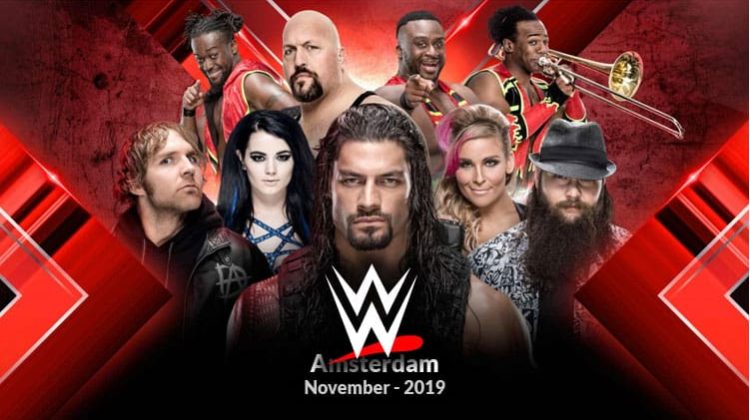
Still in Europe WWE battles will take place now in Amsterdam in this November and, if you can not attend the event in place, this article will tell you how to watch it live on your screen.

Contents hide
1. What is a VPN, and Why do You Need One?
2. Watch WWE Live Amsterdam
3. Conclusion

In the heart of the Ziggo Dome in Amsterdam, everybody will wear their hearts on their sleeves. Fear, anticipation, and excitement will be palpable on their faces as one wrestler will take on the other. It is the ultimate battle for the title and nobody wants to miss it. Tickets to the official Live event have been reportedly sold out and fans are excited for what is in store for them.

WWE Live is a sport and a family entertainment ring match where wrestlers fight each other and display their strength. All live events are broadcast across the world, albeit sometimes for a charge. But the wait and effort are worth it because, at the live event, you get to see your idols up close and see them struggle for victory.

It is a lively event that many people, unfortunately, miss out on due to the restrictions. Restrictions like a charge of money or geographically restricted broadcasting heavily impact the shows’ glory. And fans like you and me hardly ever get the better end of it. There is a solution to this, though. And that is to watch WWE on online streaming platforms who telecast it worldwide using these platforms.

To watch these shows from your home, you can download add-ons and stream WWE live from there. There is one major problem, though. Streaming on these add-ons generally gives you access to copyrighted content which is dangerous and can land you behind bars. A VPN is a preventive measure that you need to take at any cost.

What is a VPN, and Why do You Need One?

VPN stands for Virtual Private Network. True to its name, the function of a VPN is to create a private network for you.
This is how VPNs Work
When you open your device, a mobile or a laptop with a VPN, it connects you with a VPN server in another part of the country or a different country entirely. This means that anybody who is monitoring your path will not be able to see where you’re located or what you are doing.

The purpose of creating a private network is to protect your online identity. With a Good VPN like IPVanish in place your online activities are completely private and secure. This is key if you ever use public WiFi networks as these networks are very easy to hack. Malicious individuals can quickly gain access to your private information leaving you at risk. A VPN prevents this folly.

Moreover, a VPN dilutes geo-restrictions. Geo-restrictions are the barriers placed on objects so that the object cannot be accessed from a different region. The WWE match is not telecasted in a few countries. And if you happen to live in the same country where watching WWE has monetary or geo-restrictions, then IPVanish has a solution for you. With a VPN like IPVanish , you can choose your server in that country where WWE Live has no such restrictions.

Furthermore, the VPN keeps your identity anonymous. If you are on public Wi-Fi, chances of your data being accessed by snoopers are high. Even when not on a public network, you are at high risk because your IP address and your location are always exposed. This means that your browsing is open for the wrongdoers to utilize and get you in trouble for accessing a restricted site. But, when you have a VPN, you don’t have to worry about this at all. Since your IP address is different from the actual one, your data and browsing cannot be easily traced.

Other benefits of using a VPN

Services like IPVanish has many more benefits like:

  • Hiding your browsing history
  • Protect your devices from snooping eyes
  • Allowing you to use services that are unavailable outside a country
  • Protect against identity theft
  • Anonymous browsing

VPN’s like IPVanish have more serious uses and benefits too. Primarily they are great at bypassing censorship in countries and regions where internet access is blocked or restricted. Using a VPN helps you gain access to information that might be unavailable to you otherwise. In addition, ISPs often use “fair use policies” to block or slow down connections for users that they believe are abusing their internet access. With a VPN however, your ISP will not know that you are streaming content and will not block your service helping ensure your connections is uninterrupted.

As you can see there are many advantages and reasons why you should use a VPN in your day-to-day life.

Luckily for you, we have the perfect VPN for you – IPVanish – it’s one of the best on the market and has clients available for almost any device you can imagine. Even better we managed to get an exclusive 81% of IPVanish.

👋 Signup to our newsletter to receive guides and cord-cutting tips for FREE!! Click Here!

Save 81% of IPVanish now!

Watch WWE Live Amsterdam

It’s a breeze once you get a safe and reliable VPN. All you need to do now is to look for the suitable add-ons and not miss to watch the legendary WWE Live in Amsterdam match on the 12th of November. Don’t go searching for it. We have you covered. Here are a few of the best add-ons to enhance your streaming as well as have easy access to the shows. But before we talk to you about add-ons, there are other ways to watch WWE Live in Amsterdam. They are:

  • Mobdro is a streaming application that can be used to Watch WWE Amesterdam LiveMobdro:

    The official Mobdro Mobile Application which can be used to access live shows from all over the world. To watch WWE Live, you need to look up for the channel called WWE Network. You can find out how to install Mobdro here. Remember, Mobdro contains many copyrighted shows and streams. Streaming and watch WWE Live Amsterdam, without a Good VPN IPVanish, is not very advisable.

  • The official WWE Network streaming source is the right source to watch WWE Live AmsterdamWWE Network:

    Other than that, you can watch WWE Live Amsterdam on the official on WWE Network channel. That, however, requires payment and is geo-restricted. To eliminate these two restrictions, a VPN is a must.  WWE Network is available directly from the WWE website, but you need to ensure that your IPVanish is active before navigating to this site or you will be automatically redirected. Remember, it’s less than $10/mo which is significantly less than PPV and cable charges and you are also not tied into a contract so for fans it’s definitely worth considering.

  • Kodi is a streaming application and with the use of the right addons you'll be able to watch WWE Live in AmsterdamKODI

    As for the add-ons, you will first need to download an application called Kodi. Kodi can be downloaded from their official website and it is very easy to set up on devices like the Firestick and FireTV following these instructions. Kodi is an easy and interactive streaming platform with a myriad of add-ons. These add-ons make every possible show to ever exist available to watch at our fingertips, so does to the WWE Live Amsterdam wrestling event.

    • Cerebro IPTV+:

      Follow these instructions to get Cerebro IPTV+ on your Kodi device. This is a dedicated add-on for live sports. WWE is not an exception. It offers lots of high-quality content for sporting fans.

    • UKTurk Playlist:

      This addon is another useful extension. UkTurk Playlist is another server that solely streams live matches of Football, WWE, UFC, NHL, etc. This addon has a UK flair (hence the name) so you’ll also find lots of other British content. Follow these instructions to get UKTurk Playlist installed and configured.

    • Sport365.Live:

      Sports365 is another awesome add-on! The sports are not just limited to WWE. So, the next time you wish to watch a game, highlights or replays, Sports365.Live should be your answer. Sport365.Live offers lots of quality HD content and you can get it installed by following these steps.

    • Johki’s Wrestling Addon:

      With a name like this you’d think it would be all about wrestling and you’d not be wrong! Johki’s has tons of wrestling content to keep you entertained and happy and is an absolute must for fans of the WWE. You can install Johki’s through these rather simple instructions.

Conclusion

In conclusion, there are two things you should remember. Firstly, no entertainment is enjoyable if it means that your privacy and life are at stake. Don’t fall out on purchasing a VPN. Beware of free VPNs and make the right decision towards choosing the latest running protocol VPN. Secondly, if there is a will, there is away. You wanted to see the match and here we are with a list of places where you can watch the same.

Hurry and set up your VPN and your choice of streaming service, now!

Related Posts:

  • Watch WWE Shanghai Live using the proper streaming Apps
  • Watch WWE Elimination Chamber 2019 Live for Free…
  • Watch WWE Live in Puerto Rico using the best…
  • How to Watch WWE Money in The Bank 2023 using the Best Apps
  • Watch UFC 242: Khabib vs Poirier using the best…
  • How to Watch NHL Online for Free using Kodi or other…
👋 Signup to our newsletter to receive guides and cord-cutting-tips tips for FREE!! Click Here!


Marketing permission: I give my consent to BestDroidPlayer to be in touch with me via email using the information I have provided in this form for the purpose of news, updates and marketing.

16 shares
  • Share
  • Tweet
  • LinkedIn

Legal Disclaimer: BestDroidPlayer.com is in no way affiliated to any streaming application, apk or its addons. Also,  we are not associated with the brands here shown as the references are only informative. Bestdroidplayer.com does not verify the legality or security of any apps, apks, addons or services mentioned on this site. We DO NOT HOST any copyright-protected software or streams and we DO NOT broadcast or provide any copyright-protected streams on this website - The content here provided is only informational and it should be used only to access content that is not protected by copyright. We strongly advise our readers to avoid piracy at all costs, if you decide to do so, it is your responsibility - We are not responsible for any of your activities.
If you wish to make a claim, please check our DMCA Notice Policy.

Affiliate disclosure: Bestdroidplayer.com is a reader-supported blog. If you buy a VPN or an Amazon product through our links, we may earn a commission that helps maintaining our blog. Our reviews are totally honest and we only recommend trusted VPN and ecommerce brands.

Filed Under: Sports Streaming, Streaming Apps Tagged With: sports streaming, Streaming Apps, watch live sports, WWE, WWE Live, wwe live amsterdam, WWE Wrestling

Reader Interactions

Leave a Reply

Your email address will not be published. Required fields are marked *

This site uses Akismet to reduce spam. Learn how your comment data is processed.

Primary Sidebar

Search

Follow us

  • Facebook
  • Pinterest
  • Twitter

Featured Posts

How to watch TV for free using Live NetTV on fire TV and android devices

Watch TV for free with Live NetTV apk on your Fire TV and Android device

Kodi Setup Guide

Most Complete Kodi Setup Guide: All you need to know to use Kodi

Free VPN for Firestick and Fire TV

The Best Free VPN for Firestick & Fire TV in 2025 – 100% Free and Premium VPNs

best sports kodi addons

25 Best Kodi Sports Addons in November 2025 (Working & Tested)

Latest Articles

7 New Streaming Picks This Weekend (Jan 16): Netflix, Max & More

16th January 2026 By bestdroidplayer

55″ Fire TV 4K UHD Only $199 – Upgrade Your Setup Today

8th January 2026 By bestdroidplayer

pocket size entretainment

Pocket-Sized Entertainment With Big Personality

7th January 2026 By bestdroidplayer

Comparison of proxy and VPN for secure streaming and streaming speed.

Proxy vs. VPN for Streaming: Which Option Actually Works Better?

7th January 2026 By bestdroidplayer

Footer

Menu

  • Homepage
  • About Us
  • All Posts
  • Bestdroidplayer FAQ
  • DMCA Notice Policy
  • Affiliate Disclosure
  • Disclaimer
  • Privacy Policy
  • Cookie Policy
  • Advertise with us – Banner Ads
  • Get in Touch
  • Language
    • Português
    • Français
  • HTML Sitemap

About Us

Bestdroidplayer it’s a blog with News, Tips, and Tutorials about the streaming industry.
In this blog, you will find useful tips to cut the cord and save some bucks while you get the best streaming experience.

Read more about us here.

Legal Disclaimer

BestDroidPlayer.com is in no way affiliated to any streaming application, apk or its addons. Also,  we are not associated with the brands here shown as the references are only informative. Bestdroidplayer.com does not verify the legality or security of any apps, apks, addons or services mentioned on this site. We DO NOT HOST any copyright-protected software or streams and we DO NOT broadcast or provide any copyright-protected streams on this website – The content here provided is only informational. We strongly advise our readers to avoid piracy at all costs, if you decide to do so, it is your responsability – We are not responsible for any of your activities.

Copyright © 2026 Bestdroidplayer